
 English

YouTube Tag Generator
YouTube Tag Generator 100% Free Tool Online










A YouTube Tag Generator is a tool that helps you find and select relevant keywords, or tags, for your YouTube videos. These tags help people find your videos when they search for related content on YouTube.
YouTube Tag Generator
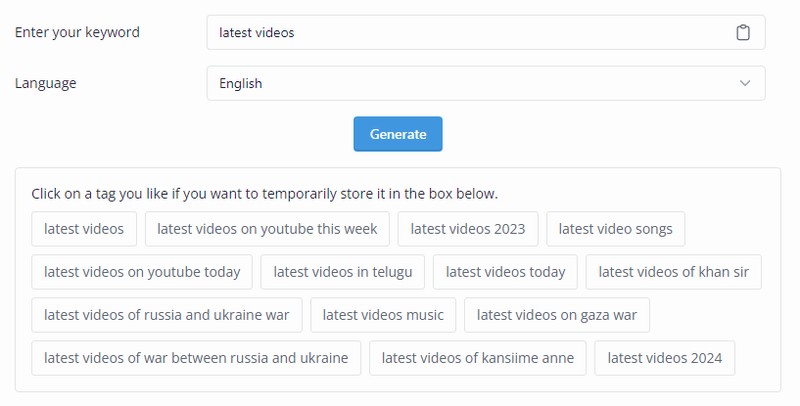
Here are some of the benefits of using a YouTube Tag Generator:
Increased video discoverability:
By using relevant tags, your videos are more likely to appear in search results, which can lead to more views and engagement.
Improved SEO:
Tags are one of the factors that YouTube considers when ranking videos in search results. Using relevant tags can help your videos rank higher in search results.
Targeted audience:
By using specific tags, you can target your videos to a specific audience who is interested in your content.
There are a number of YouTube Tag Generators available online, both free and paid. Some popular options include:
TubeBuddy:
A free and paid tool that offers a variety of features, including a tag generator, keyword research, and video optimization tools.
VidIQ:
A paid tool that offers a similar set of features to TubeBuddy, as well as competitor analysis and social media promotion tools.
Keyword Tool:
A free tool that allows you to generate keyword ideas for your YouTube videos.
Rapidtags:
A free tool that generates tags based on your video title and description.
When choosing a YouTube Tag Generator, it is important to consider your needs and budget. Free tools can be a good option for getting started, but paid tools may offer more features and functionality.
Here are some tips for using a YouTube Tag Generator:
Start with your target keyword: The most important tag for your video is your target keyword, which is the main phrase that you want people to search for to find your video.
Use a mix of broad and specific tags:
Broad tags will help people who are searching for general topics, while specific tags will help people who are looking for more specific information.
Don't stuff your tags:
YouTube allows you to use up to 500 tags, but it is best to use only the most relevant ones. Using too many tags can actually hurt your video's ranking.
Use relevant tags: Make sure that the tags you use are actually relevant to your video content. Using irrelevant tags will not help your video get found and may even hurt your ranking.
Keep your tags up-to-date:
As your video gains views and engagement, you may want to update your tags to reflect the content of your video and the interests of your viewers.
By following these tips, you can use a YouTube Tag Generator to find the right tags for your videos and help them get seen by more people.

PAKSIA Seo Web Tools
Enjoy the best PAKSIA : All in one seo web tools online free for search engine optimization. PAKSIA seo web tools help you improve your site's structure and more etc.
